
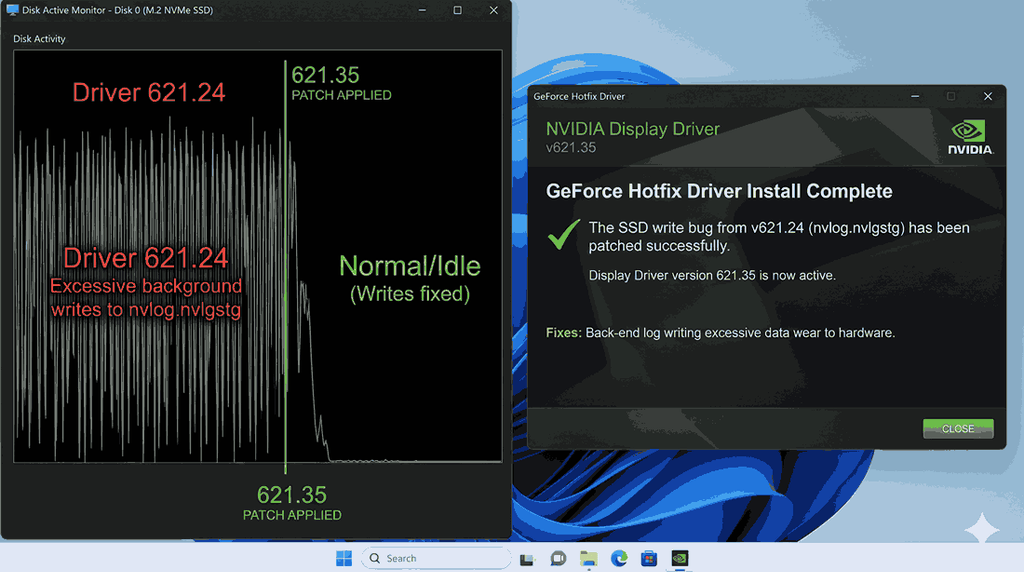
Latest NVIDIA GeForce drivers 621.14 and 621.24 have apparently been generating excessive writes to SSDs in the background, even when compute is inactive. The issue is associated with the NVDisplay. Container.exe process that writes data to a log file called nvlog.nvlgstg.
NVIDIA has now rolled out GeForce Hotfix Driver 621.35 to focus on this issue. The problem was reported with driver versions 621.24 and 621.14, with some users reporting unusually high disk write activity.
The reported problem is tracked as NVIDIA bug ID 7116722. The hotfix release 621.35 is developed to resolve this specific issue.
If your system is integrated with a GeForce graphics card and you have installed either of these drivers, installing the new hotfix may help prevent the unnecessary SSD writes.
Reason for NVIDIA SSD write bug?
The issue mainly involves NVIDIA’s Display Container background process, NVDisplay.Container.exe. Reports indicate it repeatedly rewrites the nvlog.nvlgstg file despite managing logging normally.
C:\ProgramData\NVIDIA Corporation\nvtopps\nct\nvlog.nvlgstg
Some users mention hundreds of megabytes of writes during a short idle period, while other figures reached approx. 30 GB per hour. These measurements are user-reported and do not state that every system running the vulnerable drivers will face the same activity.
Note: The amount of disk activity can vary based on usage and the particular system.
Fix excessive SSD GeForce Hotfix Driver 621.24
Download NVIDIA GeForce Hotfix Driver 621.35
NVIDIA rolled out Hotfix Driver 621.35 to resolve the excessive background writes linked to the nvlog.nvlgstg file. It is based on the 621.24 Game Ready driver and includes the specific fix for this issue. It is based on the 621.24 driver and is an optional hotfix rollout despite a regular WHQL-certified driver.
Download the hotfix from NVIDIA:
NVIDIA GeForce Hotfix Driver 621.35
- Install the driver on your computer
- Open the NVIDIA hotfix download page.
- Download the driver installer for your Windows PC.
- Run the downloaded setup file.
- Follow the on-screen instructions to finish the installation.
- Restart your system if instructed.
- Verify whether the SSD writes have stopped
After installation of the hotfix completes, check if NVDisplay.container.exe is still generating excessive disk activity.
- Press Win + R, type resmon, and press Enter.
- Open the Disk tab in Resource Monitor.
- Find NVDisplay.Container.exe in the Processes with Disk activity section.
- Verify whether it continues writing excessive data while your system is idle.
If the large amount of data write activity was caused by the particular reported driver bug, the hotfix should resolve it.
NVIDIA 621.35 Release information.
Should you install NVIDIA Hotfix 621.35?
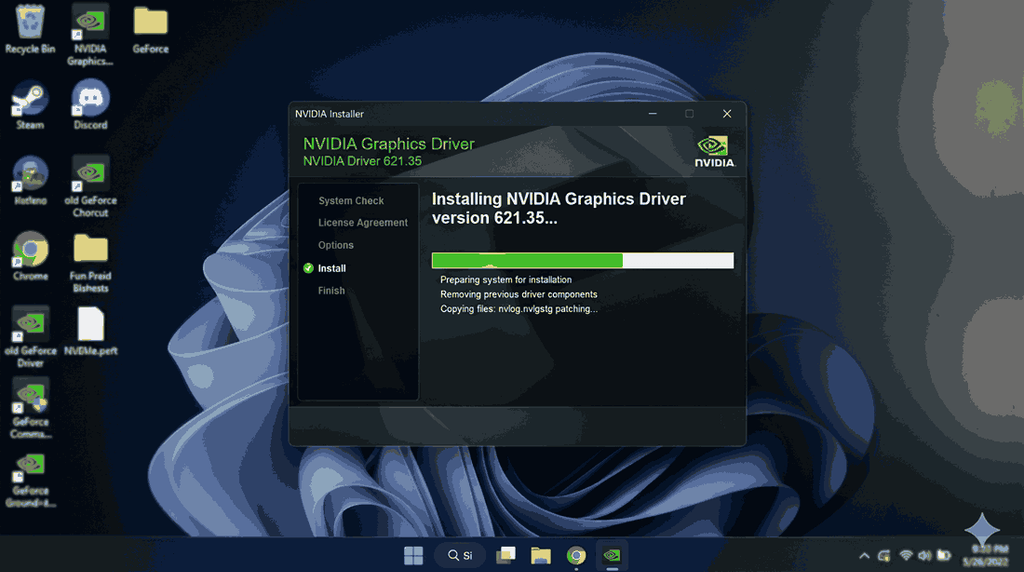
The 621.25 hotfix is an optional driver rollout despite a general WHQL-certified driver.
NVIDIA’s hotfixes use a briefer testing process to provide the targeted resolutions before they become part of later certified releases.
In case you are running driver 621.24 or 621.14 and facing excessively high SSD write activity, installation of the hotfix is a convenient and reasonable choice. Otherwise, users who want certified drivers can wait until the next regular GeForce driver rollout that includes the fix.
Related: GeForce Hotfix Driver Version 452.22 Based on NVIDIA Game ready
The large amount of SSD writes reported with these NVIDIA drivers is worth verifying, specifically if your system stays inactive for long periods. Installation of the 621.35 hotfix is the targeted resolution NVIDIA has released for this issue.