
Microsoft Easy Fix 51044 is a legacy utility developed to set up TLS 1.1 and TLS 1.2 settings for supported Windows programs. It is linked with Microsoft’s KB3140245 support documentation and was generally used on Windows 7 systems to fix secure connection issues.
Though, Windows users looking for Microsoft Easy Fix 51044 may face a distinct issue: the download link is lost, the MSI file does not download, or the Microsoft official download page is not providing the installer.
This can be confusing, since legacy Microsoft support discussions still link to the actual file. If you can’t download Easy Fix 51044, try the quick checks and verification steps before moving to a different solution.
1. Verify the original Microsoft download link
The original Microsoft-hosted installer was distributed under this filename:
MicrosoftEasyFix51044.msiThe documented download link is:
https://download.microsoft.com/download/0/6/5/0658B1A7-6D2E-474F-BC2C-D69E5B9E9A68/MicrosoftEasyFix51044.msiCopy the address into your web browser and verify if Microsoft still offers the file.
You can also check Microsoft’s historical support discussion about the availability of Easy Fix 51044 to determine whether the original installer is still accessible.
In case the download begins, save the MSI to your system instead of instantly opening it. If the browser prompts that the file is unavailable, shows an error, or cannot create a connection, the documented link may no longer be serving the installer.
Do not expect that every legacy Microsoft download URL stays active.
2. Check whether the browser is blocking the MSI file
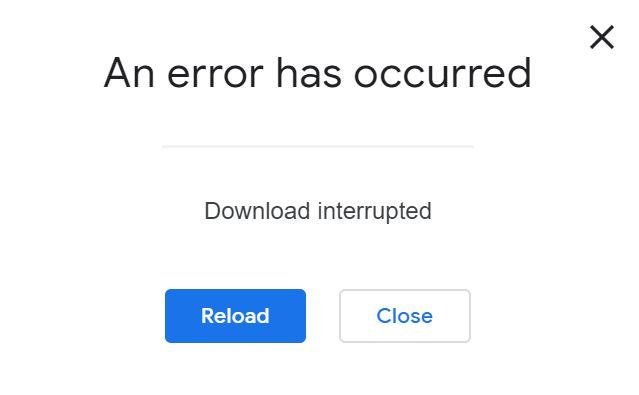
Occasionally, a security application or a browser can stop an MSI installer from downloading.
Try these checks:
1. Go to your web browser’s Downloads page.
2. Find MicrosoftEasyFix51044.msi.
3. Confirm if the browser has interrupted or blocked the download.
4. Check the security warning before choosing whether to keep the file or remove it.
5. If the download was interrupted, retry the real Microsoft link.
You can also try a different updated browser.
Try not to disable Windows security protection just to download a legacy installer. If the browser recognises a genuine security issue, inspect it despite bypassing and ignoring the warning.
3. Verify whether Microsoft still lists Easy Fix 51044
Easy Fix 51044 is associated with Microsoft’s support guide titled Update to enable TLS 1.1 and TLS 1.2 as default secure protocols in WinHTTP in Windows.
Microsoft explains the required TLS configuration in its official KB3140245 support documentation, which also describes the Easy Fix option.
Initially, the utility was offered as a convenience for integrating the reported configuration. Though, the existence of an old reference to the installer does not ensure that its download is still present.
Related: Easy fix 51044 Download for Windows to Enable TLS 1.1, 1.2
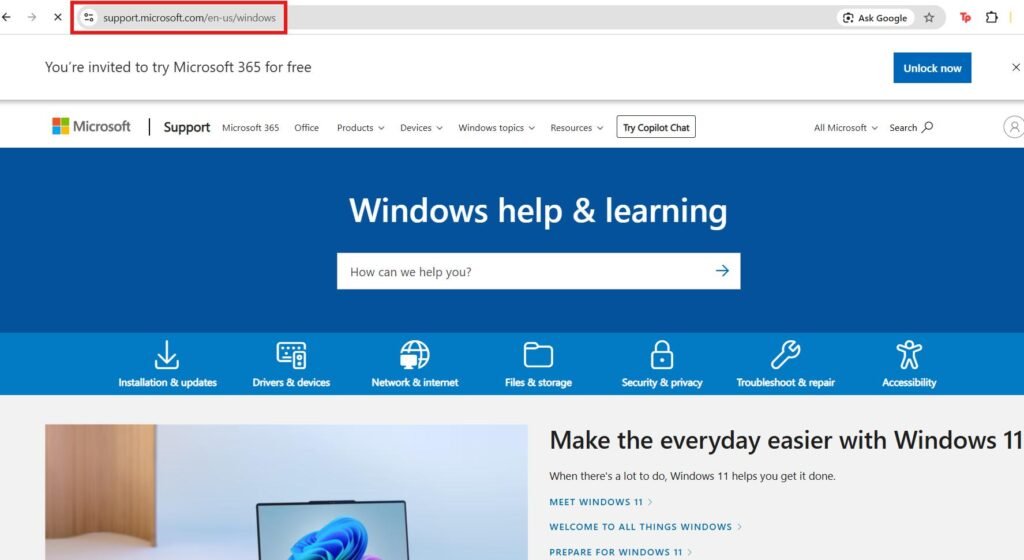
If the Easy Fix download option is absent, open the official documentation to recognise the compatible alternative rather than seeking an unofficial copy.
4. Do not download Easy Fix 51044 from unknown websites
You may discover copies of MicrosoftEasyFix51044.msi on third-party software-download pages, forums and file-sharing services.
Beware before using them.
An installer with the right filename is not generally an authentic and verified Microsoft file. An altered MSI file could bring unnecessary registry changes or other software.
If you have a copy of the file, right-click it, select Properties and go to the Digital Signatures tab, if available. Check that the signer is Microsoft and that Windows registers an authentic signature.
In case, signature is invalid or missing, try not to run the installer.
5. Use Microsoft’s KB3140245 documentation instead
If the Easy Fix 51044 download is not available, Microsoft’s KB3140245 documentation reports method to configure the required WinHTTP settings by users manually.
The update and the Easy Fix tool are both separate things.
KB3140245 offers the WinHTTP support required to set up the latest default secure protocols on compatible Windows versions. Easy Fix 51044 applies the associated registry configuration.
For Windows 7 SP1, Microsoft also reported the additional Schannel configuration needed to turn on TLS 1.1 and TLS 1.2.
Before applying any changes to the registry, create a restore point or backup. Go through Microsoft’s guidance cautiously because wrong registry entries can affect Windows programs and secure connections.
You can also download the supported update package through the Microsoft Update Catalog while your Windows version and installation requirements are supported.
For supported Windows versions, check the Microsoft Update Catalog to locate the relevant update package.
Related: How to Enable TLS 1.2 in WinHTTP Manually (Alternative to Easy Fix 51044)
6. Check whether you really require Easy Fix 51044
Easy Fix 51044 is not a common Windows repair tool. Its main purpose is associated with TLS protocol configuration for supported applications.
In case, you are trying to resolve a secure connection issue, identify the application, Windows version and error message primarily.
For instance, several users have reported error 0x80072F8F-0x20000 while using the Windows Media Creation Tool on Windows 7.
You can also review this Microsoft Q&A discussion about error 0x80072F8F-0x20000, where users have discussed similar Media Creation Tool connection problems.
Microsoft Q&A discussions have advised verifying TLS 1.2 support, KB3140245 and the Easy Fix configuration in such scenarios.
Though, the same error can have different causes, installing a legacy utility should not be considered a confirmed solution.
Related: Easy Fix 51044 Not Working? How to Troubleshoot TLS Connection Problems
Final Word
If Microsoft Easy Fix 51044 is not downloading, first verify the documented Microsoft URL, your browser’s download history and Microsoft’s KB3140245 documentation report. The legacy MSI may no longer be available through its reported download location.
Try not to install the file through third-party installer mirrors, and use Microsoft’s officially documented TLS configuration guidance if the utility cannot be downloaded. This is more secure than running an inauthentic copy of an outdated and corrupt Windows utility.