

How to Customize Quick Access in Windows 10 File Explorer
In this article you will read Quick Access related tips for Windows 10 like How to Open This PC replacing… Read More »How to Customize Quick Access in Windows 10 File Explorer
In this article you will read Quick Access related tips for Windows 10 like How to Open This PC replacing… Read More »How to Customize Quick Access in Windows 10 File Explorer

In this article, you will read how to Personalize Closed captioning in Windows 10 to improve the readability of the… Read More »How to Personalize Closed captioning in Windows 10

Here in this Windows 10 tips, you will read How to Remove Personal Info from Cortana and PC in Windows 10… Read More »How to Remove Personal info from Cortana and PC – Windows 10

In this article, you will read How to Enable Cortana to make a better suggestion for you in Windows… Read More »Windows 10 – How to Enable Cortana to Make Better Suggestion

How to Turn off Cortana in Windows 10 PC – In our recent post, we have referred to how to… Read More »How to Turn off Cortana in Windows 10 PC
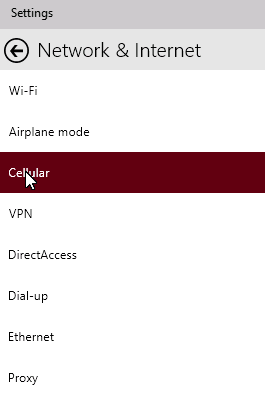
Wherever the cellular network is obtainable you can get connected to the internet. And with the availability of the… Read More »How to Connect Windows 10 PC to a Cellular Network

How to Manage Default Apps Through Settings in Windows 10 – If you have more than one websites or photo… Read More »Windows 10 – How to Manage Default Apps Through Settings

The entire world is getting crazy with the new build of Windows 10. People are hurrying to download and install… Read More »Windows 10 – How to Launch Settings and View Items on It

How to Start, Stop, Configure Windows Services in Windows 10 – As the new operating system, Windows 10 is out… Read More »How to Start, Stop, Configure Windows Services in Windows 10

Early we have discussed the new Browser Edge which has been introduced in Windows 10 Consumer Preview by the Microsoft.… Read More »How to Make Spartan Working on Windows 10 build 9926

In this article, you will get to know the process to customize settings in Cortana in Windows 10 build 9926… Read More »How to Access and Use Cortana in Windows 10 build 9926

We bring you another interesting utility of Windows 10: Disk Management. Talking about the new Windows 10 is an on-going… Read More »Windows 10 – How to Access Disk Management, Handle Partition

Few days back, there was a sensation for the release of Windows 10 Consumer Preview. Now the time has come… Read More »How to Upgrade to Windows 10 Build 9926 From Windows 8/8.1, 7

The Device Manager is one of the simplest tools of Windows 10 which permits the users to see and manage… Read More »Windows 10 – How to Find Device Manager and Use its Functions
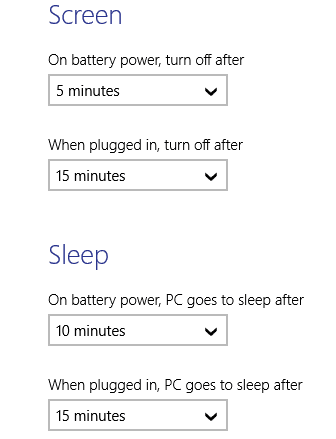
Scheduling your PC provides you an extent of relaxation and hence we are writing the prefix Relax before the title… Read More »Relax After Scheduling Automatic Sleep, Shutdown in Windows 10

How to Personalize Lock Screen in Windows 10 – Your display screen gets locked when your computer is left unused… Read More »Windows 10 – How to Personalize Lock Screen

We have already discussed before some of the features of Windows Firewall. It basically acts as a wall between your… Read More »Windows 10 – 2 Ways to Import and Export Firewall Settings

You should not be confused with UEFI, actually, it is the short form for the Unified Extensible Firmware Interface. and… Read More »How to Access UEFI (BIOS) Settings on Windows 10, 8 and 8.1