

How to Make Widget of Task Manager on Windows 8 PC – Tips
Make Widget of Task Manager on Windows 10, 8 – Have you ever think to watch performance and utilization of… Read More »How to Make Widget of Task Manager on Windows 8 PC – Tips
Make Widget of Task Manager on Windows 10, 8 – Have you ever think to watch performance and utilization of… Read More »How to Make Widget of Task Manager on Windows 8 PC – Tips

Windows comes up with the default setting of right click option. When you right click anywhere on your screen, the… Read More »Get Context Menu on Right Side of Mouse after Right Click on Windows PC Screen
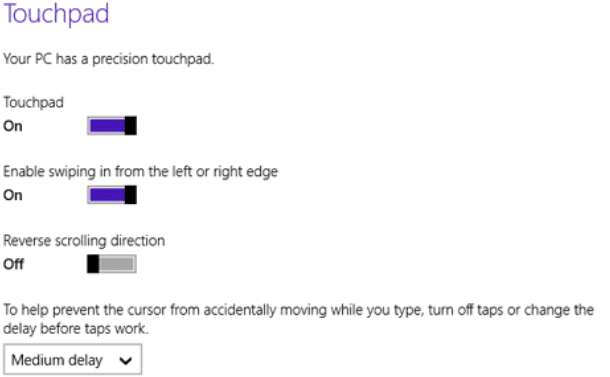
Microsoft has come with the Update 2 for its Windows 8 users. This new Update has brought some new and… Read More »How to Use Precision Touchpad on Windows 8.1 – Tips

In this topic let us describe to you how to change the Windows Live Account to the Local Account in… Read More »Change Windows Live Account to Local Account in Windows 8.1
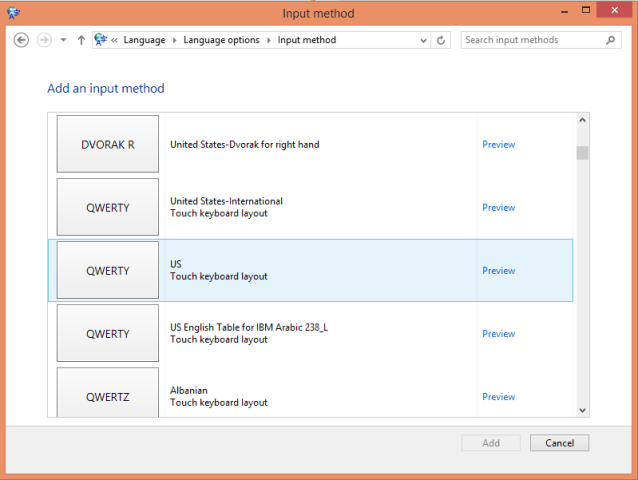
Windows 8.1 had always been the favorite of many techno lovers all over the world. I am also in the… Read More »How to Change Keyboard Layout UK to US Windows 10/8 Tips

You can optimize your Windows 8.1 PC to change different languages using keyboard shortcut. This tip is for the users… Read More »Switch between Languages in Windows 8.1 using Keyboard – Tips

Windows 8 or 8.1 users definitely want to do their own customization to their Start Screen. Different people have different… Read More »Guide to Restrict Users to Change Windows 8 Start Screen settings

I always like to customize my taskbar which definitely has some custom toolbars for my easy and quick access to… Read More »How to Backup Toolbar in Windows 10/8 Taskbar and Restore

Yellow Exclamation Mark on Network Icon on Windows 8 or 8.1 Taskbar indicates disrupted Internet Connection on PC. You can… Read More »Remove Yellow Mark from Network Icon on Windows 8 Taskbar
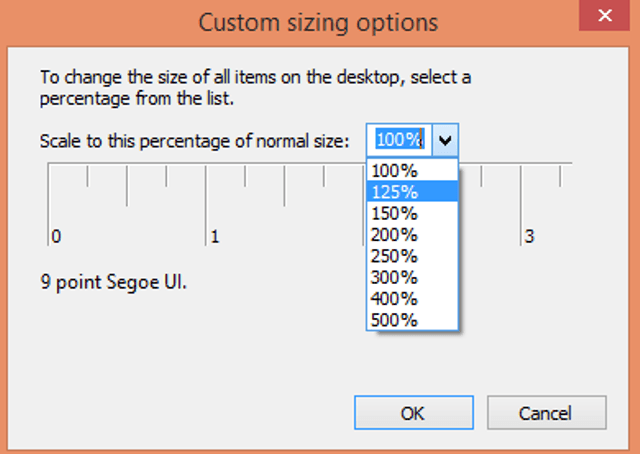
How to Resize All Items on Windows 8 Desktop – While working on Windows 8 or 8.1 sometimes you might… Read More »How to Resize All Items on Windows 8 Desktop

Windows 8 Registry Editor is a tool to view and change settings in the system registry. It holds the major… Read More »Complete Guide to Windows 8 Registry Editor

To Change App Icon Pinned on Windows 8.1 Start Screen you need to navigate to the file location and properties… Read More »How to Change App Icon Pinned on Windows 8.1 Start Screen

You can bring Administrative tools on Windows 8.1 Start Screen through changing Tiles Settings on Charms bar to display Component… Read More »How to Bring Administrative Tools on Windows 8.1 Start Screen

Windows 8.1 comprises several tools for personalization of start screen using which you can change background color and design, apply… Read More »Ultimate Guide To Personalize Windows 8.1 Start Screen

All Possible Tips to open Control Panel on Windows 8. – You can open control panel on Windows 8 or… Read More »Control Panel on Windows 8 – All Possible Tips to open

On Windows 8.1 you might have known to open PC Settings through Charms Bar, Pinned Settings App to Taskbar, using… Read More »All Possible Ways To Open PC Setting on Windows 8 and 8.1

Classic icon on Windows 8 Desktop enhances the show of screen and produces better computing environment for you. You can… Read More »How to Enable Classic Icons on Windows 8 Desktop

Have you found no battery icon on your Windows 8 or 8.1 Taskbar? Is Battery icon lost from Taskbar of your Laptop? If… Read More »Restore Battery Icon Lost from Windows 8/8.1 Taskbar