
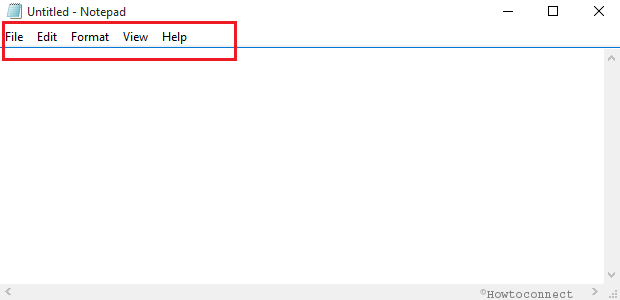
Basic Guide to Notepad – How to Open, Use Menus, Save Docs
Notepad is the oldest text editor of Windows. It still fulfills the purpose of the users who wish to have… Read More »Basic Guide to Notepad – How to Open, Use Menus, Save Docs
Notepad is the oldest text editor of Windows. It still fulfills the purpose of the users who wish to have… Read More »Basic Guide to Notepad – How to Open, Use Menus, Save Docs

.The hard disk for your computer is the magnetic disk where your data of the computer system is stored. It… Read More »Windows 10 – How to Give Hard Disk Rest after Certain Time

Move Screenshot Location in Windows 10 – Capturing a moment from video or important happenings of the screen is the… Read More »Windows 10 – How to Move Screenshot Location, Restore to Default

We always like to keep attractive desktop background on our PC. Desktop background Slide Show on the PC is not… Read More »Windows 10 – How To Enable/Disable Desktop Background Slide Show

Microsoft continues updating the latest version Windows 10 to make it good looking as the day passing. The tech giant… Read More »Windows 10 – How To Set New Pane for Date and Time

Boost Laptop Battery Life on Windows 10 – Have you optimized your Laptop to save battery. If your answer is… Read More »Windows 10 – How to Boost Laptop Battery Life

If you want to customize your main settings of your Windows 10 laptop, directly launch Windows Mobility Center on your… Read More »Windows 10 – How to Access and Utilize Mobility Center Settings

We all know that proxy servers are the agent servers between you and the server to collect information from other… Read More »Windows 10 – How to Customize Proxy Server Settings in Browsers

Have you ever thought of a solution for your drives or drivers not working properly on Windows 10? Even when… Read More »Windows 10 – How to Test Local Drive for Errors

Windows Memory Diagnostic is a tool in Windows 10 which was also present in the earlier versions. Sometimes certain situations… Read More »Windows 10 – How to Detect RAM Issues with Windows Memory Diagnostic Tool

To delete a Sticky Notes on the desktop is easier than creating. It requires only a click on the close… Read More »Windows 10 – How To Redeem Deleted Sticky Notes

Our every time rescuer, Command Prompt as we all know is a command line interpreter. It is famously called as… Read More »Windows 10 – How to Launch and Use Command Prompt

There is a tool in Windows 10 operating system which expands the various portions of your display screen. When this… Read More »Windows 10 – How to Access and Use Magnifier

There is one feature in Windows 10 (though it was present in the previous version also) called Sync Center and… Read More »Windows 10 – What is Sync Center and How to Use It

How to Use Snipping Tool in Windows 10 to Capture Screenshot – We had already covered few topics on Windows… Read More »Windows 10 – How to Use Snipping Tool – Capture Screenshot

File History is the programmed system in Windows 10 that goes on safeguarding your private or particular files which are… Read More »Windows 10 – How Use File History to Backup Data Step by Step

In Windows 10, the image captured for the happenings on the display screen of a PC is known as Screenshot.… Read More »Windows 10 – How to Take Screenshots Using Default Tools
How to Turn On or Off Airplane Mode – on Windows 10 – Today’s share of information will thrill those… Read More »Windows 10 – How to Turn On or Off Airplane Mode