

How to System Restore Windows 7 / What to do when it fails
Windows 7 is decorated with a feature like System Restore. It is a feature to be used for restoring new… Read More »How to System Restore Windows 7 / What to do when it fails
Windows 7 is decorated with a feature like System Restore. It is a feature to be used for restoring new… Read More »How to System Restore Windows 7 / What to do when it fails

As you know well installation of any Software in any system requires Administrative authority of users. Without Administrative power possibility… Read More »How To Enable Administrator Account in Windows 7 / Disable

Having more than one User Account and Password makes a computer more secure from unauthorized access. As per need, one’s… Read More »How To Create User Account, Password in Windows 7

In Computer system, the function of Hibernation is made for the restoration of active screen and programs in previous mode.… Read More »How to Activate Hibernate in Power button in Windows 8

While working in Windows 8, we witness many more user-friendly options like Metro Screen & Charms Bar. Each and every… Read More »How to add Start button in Windows 8 Tips Step by Step

Making more than one user accounts in Windows 7 beefed up security concern of unauthorized users. Memorizing passwords of each… Read More »How To Delete Local User Account in windows 7

When you turn on Windows 8 multiple Startup programs are displayed automatically in the notification panel (right side in the… Read More »How to Disable Program from Startup in Windows 8, 10

Sometimes users want to install more than one operating, as latest and its previous version, in their hard disk. Such… Read More »How to Set Windows 8 as Default in Dual Boot Computer

In Windows 8, the Startup feature is used to run special programs automatically during desktop loading. An Advantage of Startup feature in Windows 8 is… Read More »How to Add or Remove Programs in Startup in Windows 8

Windows 8 often displays default lock screen background on the Startup screen indicating time and current date. If you want… Read More »How to Remove lock screen in Windows 8 Tips Stepwise
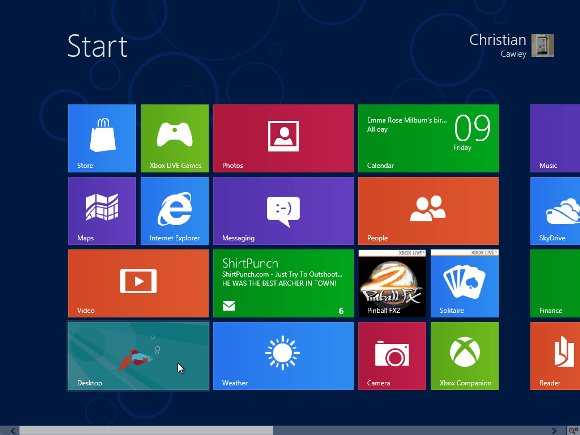
Both versions of Windows 8 (Developer or Consumer) display a new feature Metro Start Screen at startup. The act of accessing… Read More »How to Disable Metro Start Screen in Windows 8 Tips

Command Prompt is known as DOS. It is an integral feature in all Windows operating devices. Command Prompt is an… Read More »How to Run Command Prompt as Administrator in Windows 8

Microsoft has enabled a tool in Windows 8 for dealing with the issue of Family Safety. Once this feature is… Read More »How to Activate Family Safety in Windows 8, Tips, Stepwise

Windows 8 displays sign-in option during startup. At the same time, it asks you to enter Windows live or Microsoft account email address to access… Read More »How to Sign In Windows live, Microsoft Account in Windows 8

Windows 8 beta version offers a lot to its On-net or Off-net users. If you want to configure Gmail account or… Read More »How to Add Email Accounts to Windows 8 Mail App

How to Go into Safe Mode in Windows 8 – In Windows 8, we witness many new functions. One of… Read More »How to Go into Safe Mode in Windows 8 Tips Stepwise

Windows 8 has come with modern Advanced Task Manager. It contains several advance features like detailed information about the currently active… Read More »How to open Windows 8 Modern Task Manager

Whenever we install Windows 8 (beta) in our systems, the appearance of the Windows amazes us. Such attractive and gorgeous appearances… Read More »How to use Windows 8 Charms Bar / Introduction