

Manage Windows 8 apps Directly from the Desktop
I came across a software, Windows 8 apps Boss which is used to manage the Windows 8 apps from the… Read More »Manage Windows 8 apps Directly from the Desktop
I came across a software, Windows 8 apps Boss which is used to manage the Windows 8 apps from the… Read More »Manage Windows 8 apps Directly from the Desktop

Considered one of the most convenient music management software available till date for Windows and Mac, Apple iTunes is now… Read More »Import iTunes playlists to Windows 10 Xbox Music

The most used areas of the Windows Operating System is the Taskbar. Nobody can deny this fact. It is quite… Read More »How to Automatically hide Taskbar in Portrait Mode in Windows 8 and Pro

The disk space taken by Windows 8 is much lesser than Windows 7 and the installation time is also very… Read More »Customize Windows 8 installation with WinReducer8
Microsoft recently released SkyDrive client for Vista, Windows 7 and Windows 8 operating systems which helps the SkyDrive users to… Read More »How to change the Default location of the SkyDrive folder in Windows

Android operating System has become a craze all because of the huge amount of applications it supports and people have become… Read More »Run Android apps on PC having Windows 7, Vista, 8 Surface Pro, Mac

Similar to previous window OS, Windows Speech Recognition feature is also available in the windows 8. This feature is… Read More »Use Speech Recognition Voice Training in windows 8 to talk with Computer

Windows 8 operating system is different from other Windows. Window 8 doesn’t have start button / start menu as… Read More »How to Access Personal File, Folder, Application in Windows 8

Due to various reasons, some businesses /client are looking to downgrade from Windows 8 pro to the lower… Read More »How to downgrade Windows 8 to Windows 7

Skype provides free service to its users to communicate with each around the world over the internet. Here are… Read More »Managing Skype on Windows 8 – Close, be Invisible, Turn off Notification

Windows 8 has revealed a feature “password reveal”. When you sign in your account with typing password in the… Read More »How to Enable or Disable Password Reveal Button in Windows 8

Mouse for left handed users in Windows 10, 8 – After installing Windows 10, 8 we start customizing all its… Read More »How to customize mouse for left handed users in Windows 10, 8
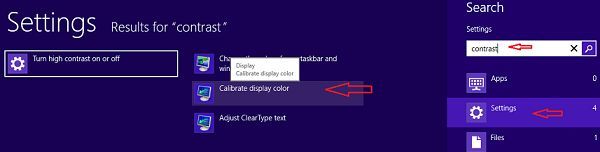
Set brightness and contrast in Windows 8 Desktop and Laptop – Tips – In Windows 8, you may set… Read More »How to set brightness and contrast in Windows 8 Desktop and Laptop
To get full advantage of Windows 8 you have to go through change settings. One of these is to enable… Read More »Tips for Force Sync App License in Windows 8
This write-up is for those who are having windows 7 in their PC, but don’t know how to extend the… Read More »How to Extend Warranty of Windows 7 from 30 Days to 120 Days

Windows 7 is one of the most popular operating system since now. It was developed by Microsoft Corporation as the… Read More »How to Create Change and Recover windows 7 Password

Microsoft has introduced some new personalize features in Windows 8. For example, you can set your preferred picture, built-in background… Read More »How to Change Windows 8 Themes and Background
Windows 8 is the most advanced operating system in Windows version by Microsoft. People who want to download and install… Read More »Download and Install Windows 8 in 6 Easy Steps