
How to add Logo to Video using Windows Live Movie Maker
Logo gives identification to a video. Everyone wants a logo on his video. By logo you can design your own… Read More »How to add Logo to Video using Windows Live Movie Maker
Logo gives identification to a video. Everyone wants a logo on his video. By logo you can design your own… Read More »How to add Logo to Video using Windows Live Movie Maker

How to Check if Your Hard Disk Drive is Bad – Sudden, if your computer or laptop works slowly, corrupts… Read More »How to Check if Your Computer’s Hard Disk Drive is Bad
Generally you must be aware of this reality; Internet Explorer browser does not help you to download above six items… Read More »Tips to Download Multiple files at a time in Internet Explorer
The new Android 4.2.2 Jelly Bean supported custom ROM is present for Samsung Galaxy Mini 2 S6500D model. It has… Read More »Mouse lock app to Know who is Spying you in your PC

Microsoft has made a point to register yourself with Outlook or Windows Live account in using latest Windows Version and… Read More »How to Change default outlook Account Settings in Windows 8
Having several email accounts is modern day’s reality of all users. Indeed, it is tough task to use all email… Read More »How to control Sync, Notification in Email Accounts on Windows 8 Mail App
To install Windows Operating Systems (Windows 7 and 8) in Pendrive is simply outstanding. It will save time in re-install… Read More »How to install Windows 7 and Windows 8 /10 on Pendrive

Till Windows 8 initiation, users have to rely on desktop email client to manage their multiple contact information. Now users… Read More »How to link Contacts on Windows 8 People App

How to Reset Cache of Windows Store. – Sometimes, in the way of downloading or updating an App of Windows… Read More »How to Reset Cache of Windows Store

You get annoyed looking sudden problems in favorite Windows 8 Apps. Though, Windows Store automatically notifies… Read More »How to solve problem with Windows 8 App
Arrival of ‘Windows 8’ tempts users to optimize their devices on latest operating version. Windows 8 comes with many built-in applications including metro style interface. It functions… Read More »How to Speed Up and Optimize Your Windows 8 PC or Laptop

The makers of Windows 8, Microsoft has tried his best to create a largely different OS when compared to the… Read More »How to customize title bar in Windows 8
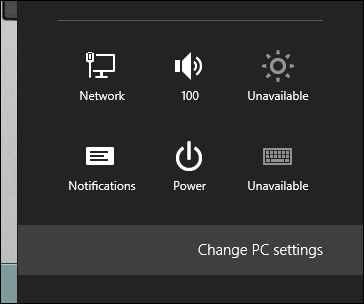
Once it happens that everything appears on Windows 8 desktop screen is pretty unusual. One can hardly deal with such… Read More »How to make everything bigger on your Windows 8 Screen
Remote Desktop Service lets users to subscribe and publish client side applications. In Windows 8 and Windows RT, application known… Read More »How to enable Windows 8 and RT Users to get applications via Email

Windows 8 thrills us with great built-in applications. Switching to Windows 8, one can meet with remarkable changes. Some… Read More »How to optimize Windows 8 PC to avoid Security Concerns

Needless to say that Windows 8 is advance operating system of current time. Switching to Windows 8 optimized system, you… Read More »How to Search Apps in Windows 8
Is it possible to access existing Hotmail account without knowing username or password? In practical way, it is almost… Read More »How to Stop Windows 8 to Automatically Signing into Hotmail
Windows 8 apps functions only in Windows 8 App Launcher. It takes a bit longer time to load on Windows… Read More »How to decrease load time of Windows 8 Apps