

How to Use Xmarks Sync for Firefox 4.4.0
Ways to Use Xmarks Sync for Firefox 4.4.0 with Steps. – You frequently bookmark websites on Firefox so that… Read More »How to Use Xmarks Sync for Firefox 4.4.0
Ways to Use Xmarks Sync for Firefox 4.4.0 with Steps. – You frequently bookmark websites on Firefox so that… Read More »How to Use Xmarks Sync for Firefox 4.4.0

Turn off and Delete FlyWeb Add-on in Firefox. Firefox Nightly is the most advanced edition of the Firefox browser.… Read More »How to Turn off and Delete FlyWeb Add-on in Firefox
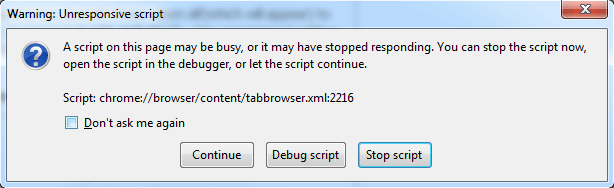
How to Get Rid of Warning Unresponsive Script in Firefox – It may be possible that you need to browse… Read More »How to Get Rid of Warning Unresponsive Script in Firefox

If you are a frequent user of Netflix then you will be pleased to know that Super Browse which is… Read More »Access Hidden Categories, Genres on Netflix with Browsers

How to Disable Play DRM Content in Firefox 38 – One of the most famous browser Mozilla Firefox had recently… Read More »How to Disable Play DRM Content in Firefox 38

There is a flood of Video downloading apps and software in the market. I have seen most of the people… Read More »How To Download Video of All Formats From Any Website

You bookmark the important and favorite web pages in Firefox browser to easily find them later. If you backup the… Read More »How to Backup and Restore Bookmarks as HTML in Firefox

In this post, you will read How to Detect if any problem in Firefox and Fix the obstacle on account… Read More »How to Detect if any Problem in Firefox and Fix

You must have confronted problems with the audio or video content on Firefox. In this article, we are… Read More »How to Fix Audio and Video General Problems on Firefox
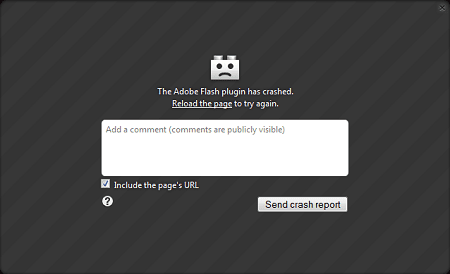
The Flash Player runs in the web browsers as a plug-in and also on the mobile devices that support it.… Read More »How to Fix Flash Related Different Problems in Firefox

If you are looking for some web browsers that do not store your history, cache and cookies details of your… Read More »How to Begin Private Browsing in Chrome, Firefox, IE, Opera

Colorful Tabs is a newly added Add-On of Mozilla Firefox. Using this very new app, Your tabs would… Read More »How To Set Images and Use Colored Tabs in Mozilla Firefox

You can bring back menu bar on Firefox through F10 or Alt button on Keyboard. Besides this, the menu bar… Read More »5 Tips to Bring Back Menu Bar on Firefox

Cookies are small files which can be easily found on one’s computer, laptop or mobiles. So, what are they? They… Read More »How to Manage Cookies on Chrome, Firefox, IE, Opera, Safari

Update Scanner Firefox Mozilla Add on Monitors changes in web pages. This add on can be used as a blogging… Read More »Use Update Scanner Firefox Add on as a Blogging Tool

Gmail Notifier is a new Addon of Firefox using which you can simply look at your inbox, messages etc without… Read More »Gmail Notifier – A Desirable Firefox Addon to Save your Time

Although Google has become the most common search engine but for those who need to switch between the search engines… Read More »How to Choose Search Engine by just Scrolling in Firefox

People use to bookmark websites online. With the progress of Google Chrome and Mozilla Firefox, they have the options… Read More »Manage and Fast Access Google Bookmarks using Firefox Toolbar